
Scan and play

Scan and play

Scan & Play

Strengthen customer relationships at the point of sale through interactivity


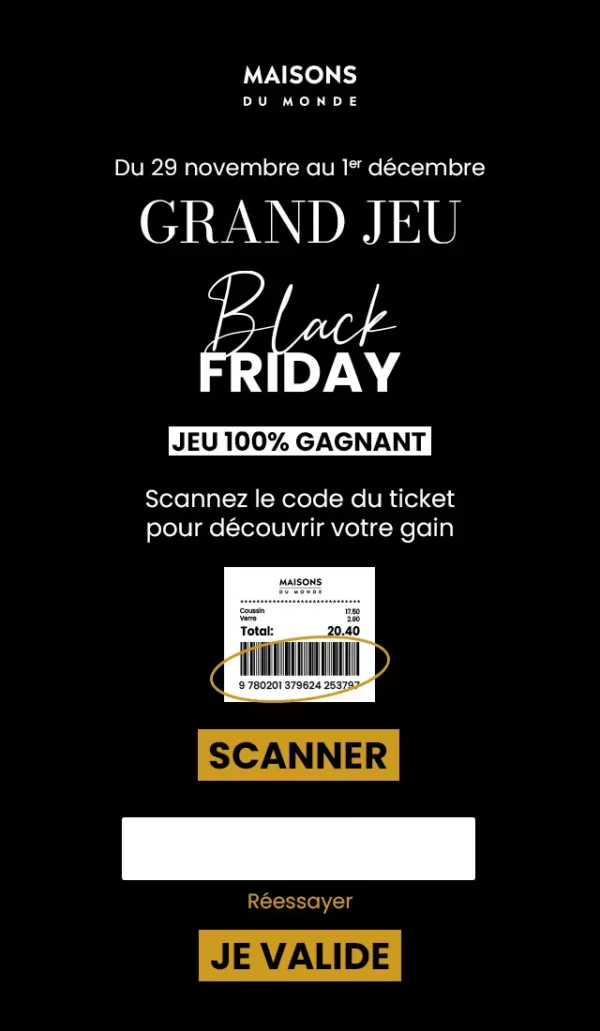
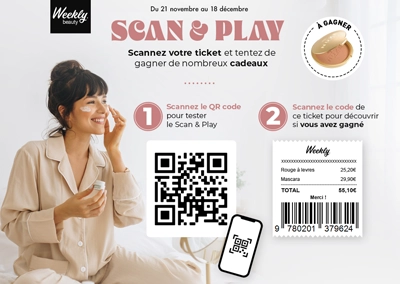
Scan & Play offers an interactive point-of-sale experience by inviting customers to scan a QR code or barcode from a receipt, flyer or POS display. They are then taken to a competition, quiz or personalised content. The data extracted from the scanned code (e.g. store ID, product type, channel) not only allows you to measure the performance of the campaign, but also to personalise messages, prizes or redirects based on the profile or purchase context.
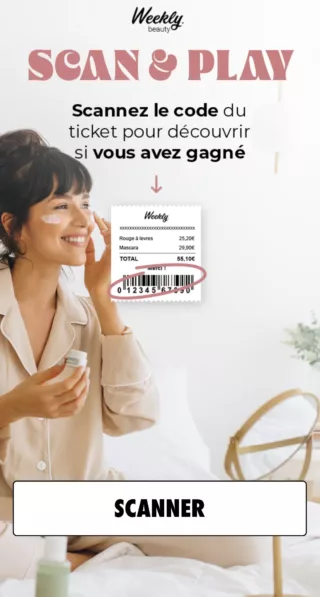
scan and play mobile

Why launch a Scan & Play?

  • Liven up a point of sale
  • Encourage conversion
  • Leverage data from scanned codes
  • Activate and retain

Scan & Play offers an interactive point-of-sale experience by inviting customers to scan a QR code or barcode from a receipt, flyer or POS display. They are then taken to a competition, quiz or personalised content. The data extracted from the scanned code (e.g. store ID, product type, channel) not only allows you to measure the performance of the campaign, but also to personalise messages, prizes or redirects based on the profile or purchase context.


Why launch a Scan&Play ?

  • Bringing a point of sale to life: an interactive experience accessible via receipt, flyer or POS advertising to enhance the customer experience in store.
  • Encourage conversion: immediate access to a gift (promo code, game, etc.) encourages customers to return to the store or complete an online purchase.
  • Leverage data from scanned codes: every piece of information in your barcodes or QR codes (store ID, product, channel) can be used during or after the campaign to refine the user journey, trigger specific redirects, and activate targeted emails.
  • Activate and retain: by extending the relationship after purchase, Scan & Play becomes a CRM lever to engage customers over the long term.
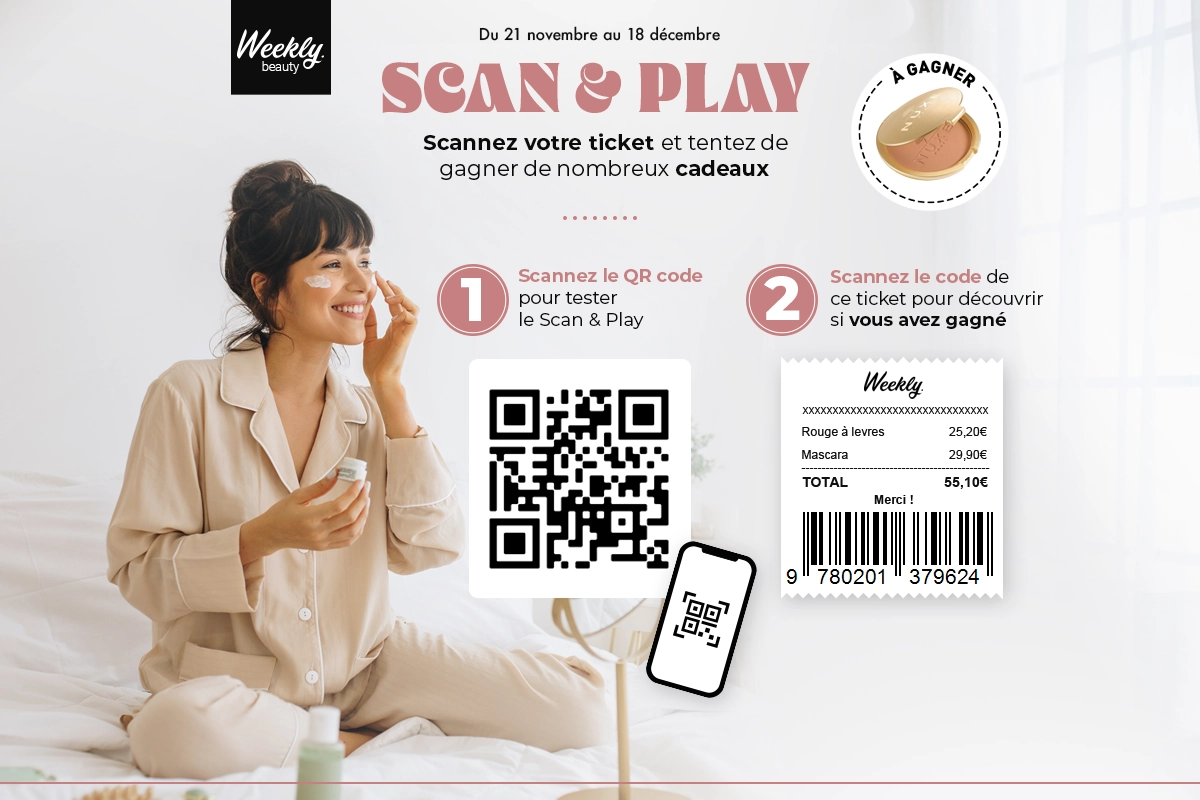
    Scan and play mechanics

    Advanced customization

    Adapt the mechanics to your needs for a unique experience

    Mechanical parameters

    • Configuration of barcode or QR code sequences associated with the experience
    • Configuration of all types of codes
    • Customisation of the post-scan gaming experience
    • Mobile-first display

    Test the mobile version
    of the game by scanning
    the QR code

    3
    demo scan and play
    scan and play mobile

    Example of a Scan and Play campaign
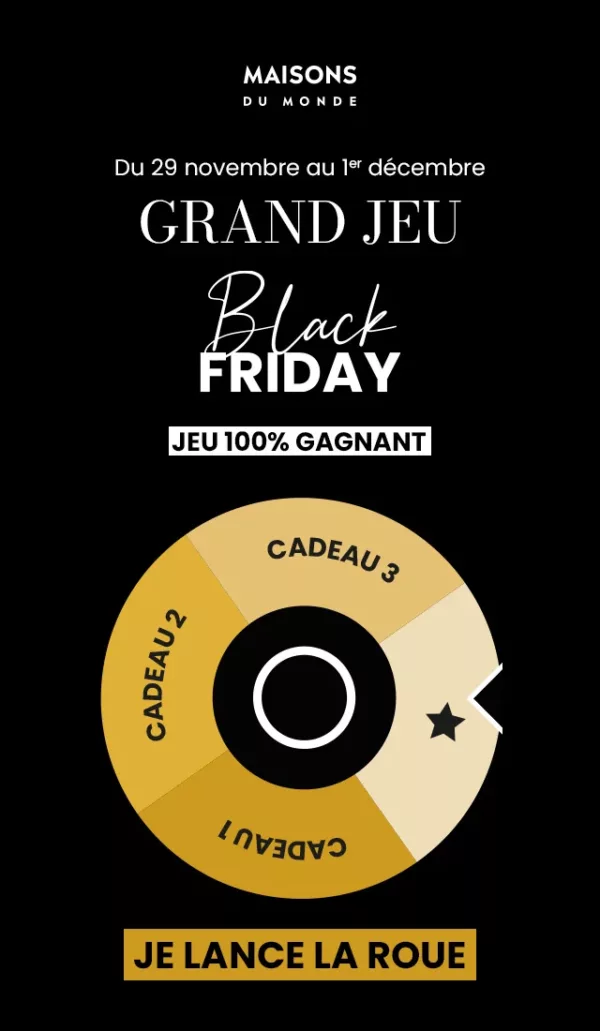
    scan and play maison du monde
    scan and play maison du monde wheel
    scan and play maison du monde gain

    More than 200 brands trust us

    Flexible plans
    tailored to your needs
    Adictiz, the platform to achieve
    your marketing goals

    Tiny wings

    Tiny wings

    < Catalog

    < Catalog

    The Tiny wings, you’ll have to run fast!

    A game of speed and skill: the player must cover an undulating landscape as quickly and as far as possible.

    Tiny Wings is a score-based mechanic that was inspired by the popular game app of the same name, originally launched in 2011 on iOS and a huge success in terms of downloads.
    This game mechanic is based on the speed and skill of the user, who must traverse a hilly environment while trying to go as far and as fast as possible.
    The player must accelerate on downhills and slow down on uphills to progress.

    This mechanic is fully customizable and offers numerous options for showcasing your products and services.
    You can customize sounds, animations, jumps, loops, bonus visuals, obstacles, etc. to adapt the module to your brand universe.
    Using this mechanic for your advertising campaigns will perfectly meet your engagement objectives by increasing the time spent by users on your campaign and their number of plays.

    What’s more, Tiny Wings is a score-based mechanic that offers plenty of scope for user interaction.
    You can create leaderboards to encourage competition between players, and offer rewards for top scores.
    This mechanic can also be combined with other mechanics, such as instant wins or prize draws, to further increase user engagement.

    Last but not least, this game mechanic is ideal for reaching a young and active audience, who are fond of this type of game.
    With Tiny Wings, you can easily reach a wide audience and get your users interested in your products and services.

    Tiny wings parameters to customize :

    • Number of entries(if “Limited entries” is enabled): set the number of entries per day, week, month or campaign and per user.
    • Play modes: Slide, Flip, Jump
    • Glide time
    • Display results page

    Customize appearance :

    • Hero visuals
    • Sounds and animations
    • Still and animated set visuals

    Discover how to create a Tiny wings game in Adictiz.

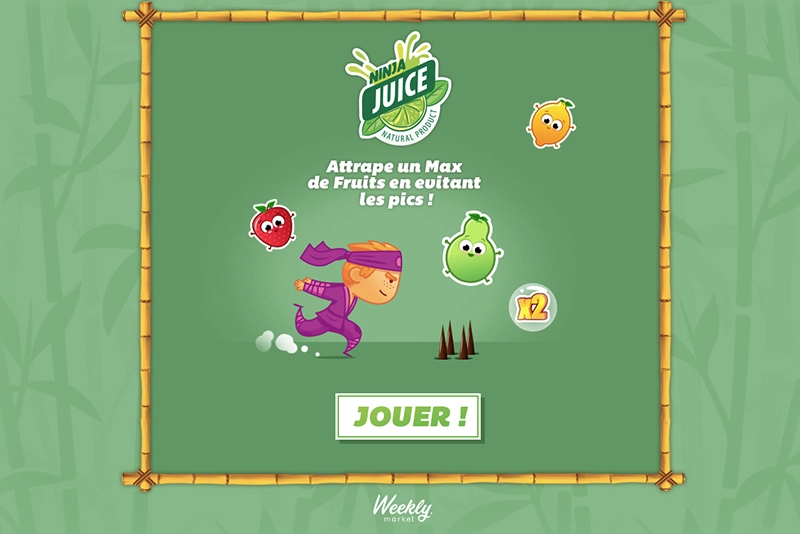
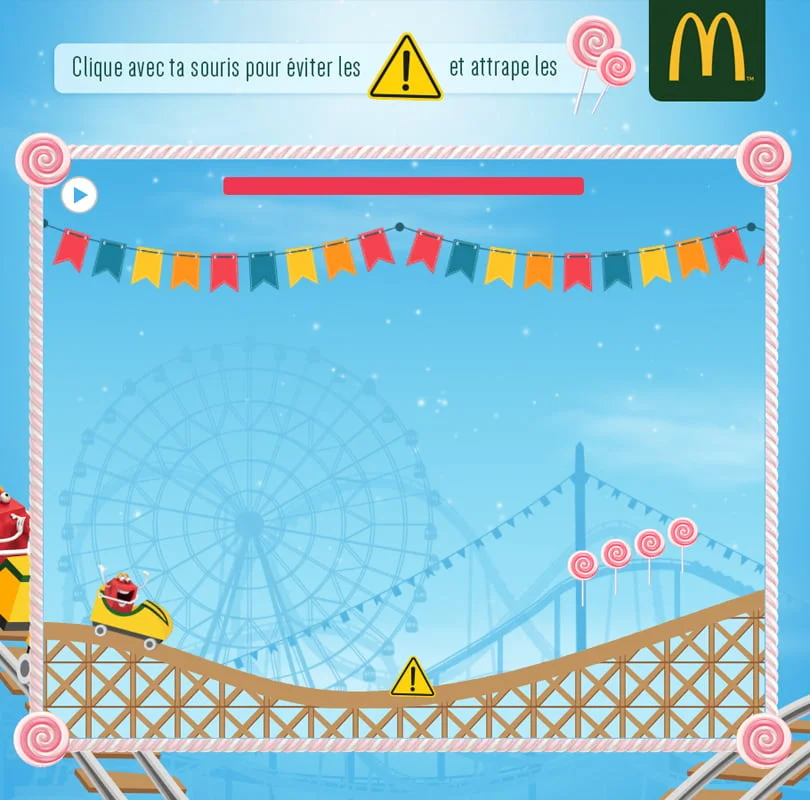
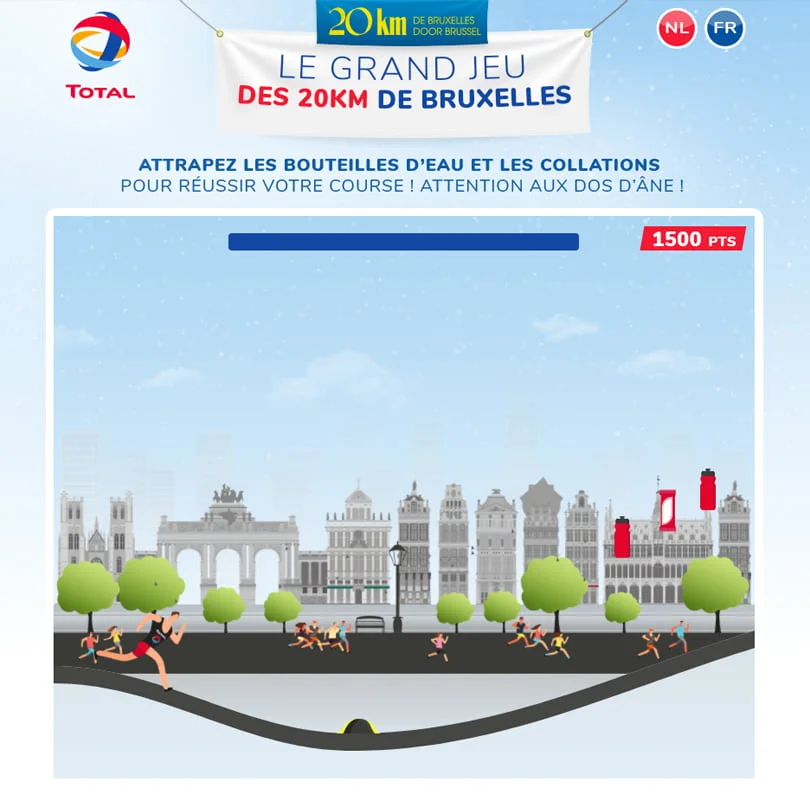
    Examples of Tiny Wings campaigns

    tiny wings mc do game
    Game tiny wings total
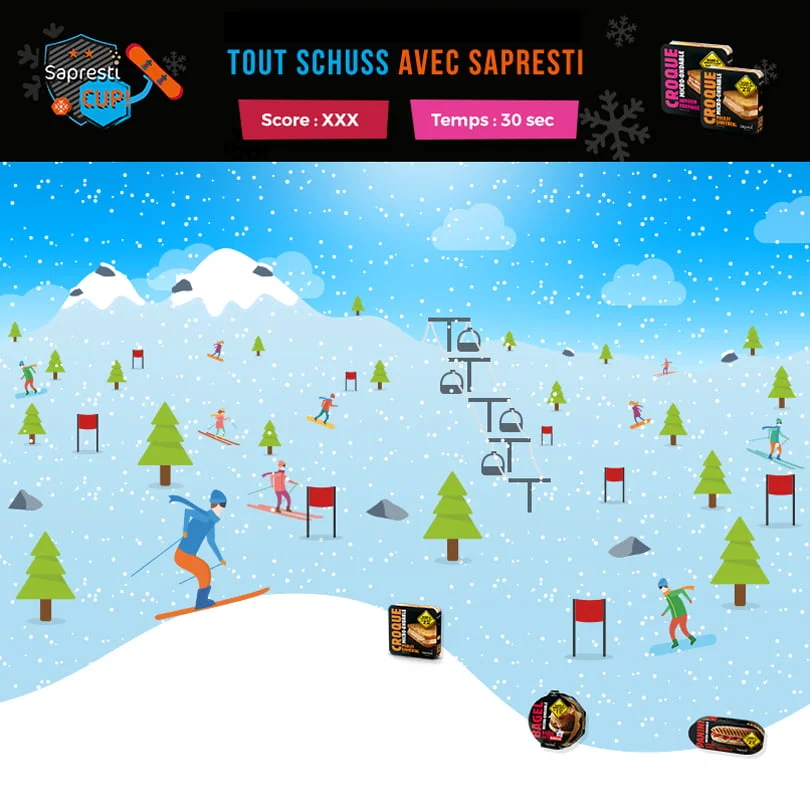
    Game tiny wings sapresti

    More than 200 brands trust us

    A single platform for achieving your marketing objectives and collecting exclusive data

    Swiper

    Swiper

    < Catalog

    < Catalog

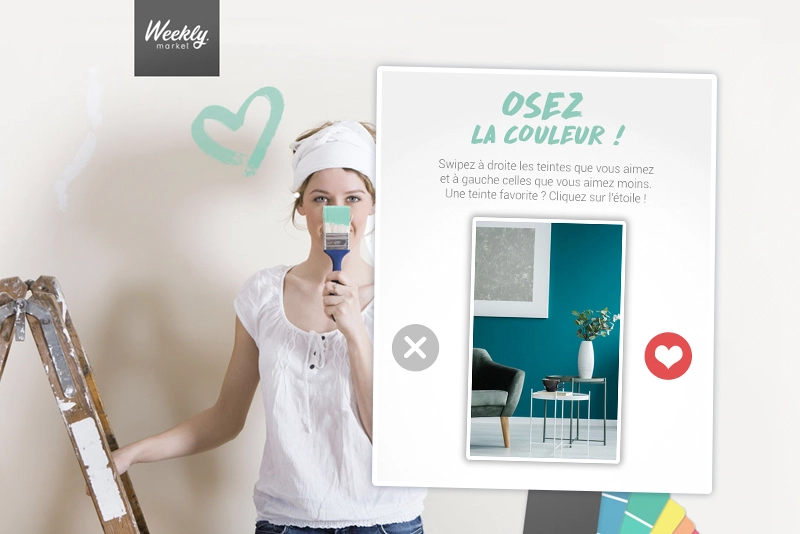
    Swiper, a tinder-like

    Invite your customers to select their preferences among your various products by swiping left or right

    The Swiper module is an innovative solution for collecting feedback from your community in a simple, dynamic way.
    This functionality uses the “swipe” mechanism, popularized by the Tinder application, to enable users to give their opinion on your brand, products, commercial offers or services.

    When offering visuals to your users, you can ask them to like or dislike them by simply swiping left or right.

    What’s more, you can reinforce their choice by offering options such as “Super Like” or “Joker”.
    This mechanism is particularly well-suited to “mobile-first” campaigns, as it can be accessed anytime and anywhere the user has a smartphone.

    By personalizing the visuals, you can adapt the mechanics to your brand universe and maximize your users’ engagement by increasing the time spent on your campaign and the number of votes.
    Thanks to this game mechanic, you can gather information on your users’ preferences and use this data to adapt your marketing strategy accordingly.

    Swiper parameters to customize :

    • Number of entries
    • Swipe action right/left
    • Swipe button display
    • Number of visuals displayed
    • Joker and Super Like options
    • Result page

    Customize appearance :

    • Contour type: classic, frame, polaroid
    • Drop shadow
    • Animations au like / Super Like
    • Appearance of visuals: Fade in (from each side) or from top, bottom, right, left, each side
    • Animating a swiped visual

    Discover how to create a Swiper in Adictiz.

    More than 200 brands trust us

    A single platform for achieving your marketing objectives and collecting exclusive data